In August 2016, Sage Group, a UK-based accounting and payroll software company, disclosed that an employee had used an unauthorised internal login to access the payroll and HR data of approximately 280 UK businesses that used Sage’s cloud-based accounting and payroll services.
The employee gained access using internal credentials that provided visibility into customer data across multiple accounts. The type of access exploited was internal administrative access, the kind of access that customer support and implementation staff sometimes need to diagnose and resolve client issues, but which, when used outside its authorised purpose, provides visibility into sensitive payroll information for an entire customer population.
Sage notified affected businesses. The employee was arrested. The incident illustrated a specific risk that is common in software-as-a-service providers but equally present in any organisation where internal staff hold application-level administrative access: privileged application access, when used by a malicious insider or obtained by an attacker, reaches data across the entire application population, not just one record.
The Risk
Application Privileged Access in the Groups D, E, and F context refers to elevated access within finance, payroll, HR, and ERP systems that goes beyond standard end-user functions. This includes:
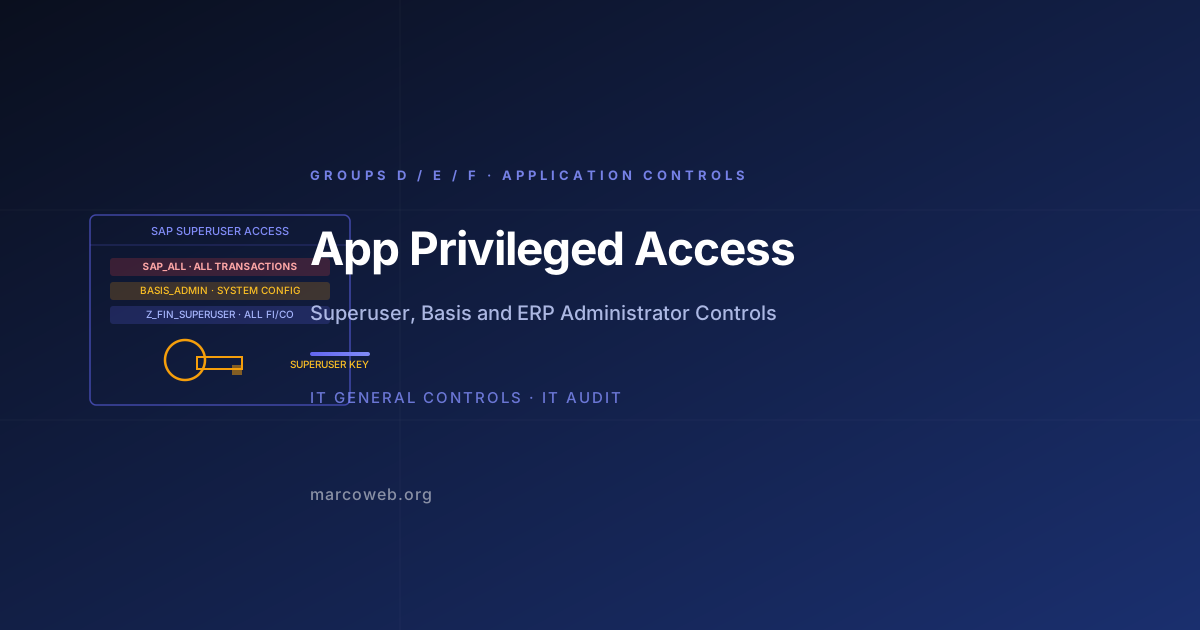
Superuser access: SAP’s SAP_ALL profile, Oracle’s DBA role, or platform-equivalent superuser access that grants the holder access to all system functions and data, bypassing application-level security controls.
System administration roles: Access to configure the application, manage users, modify security settings, and access audit logs. In SAP, this is typically held by Basis administrators.
Emergency or firecall access: Temporary elevated access granted for specific operational situations, intended to be used for a defined period and then revoked.
Internal support access in SaaS environments: As the Sage case illustrates, internal staff at software vendors who hold support access to customer environments carry privileged access that, if misused, exposes customer data at scale.
The risk profile of application privileged access is elevated beyond standard user access because:
- Privileged access bypasses normal application authorisation controls
- Privileged users can access data for any entity in the system, not just their own
- Privileged access includes the ability to modify audit logs, conceal activity, and alter system configuration
- Superuser access in ERP systems (SAP_ALL, for example) provides unlimited transaction authority
The Sage Case
The employee at Sage who accessed customer payroll data was using internal administrative credentials that were available within the organisation for legitimate customer support purposes. This type of access, often called “support mode” or “admin overlay” access in SaaS platforms, allows support staff to view and potentially modify customer data without logging into the customer’s own account.
The key control failures were:
Inadequate scope restriction: The internal credentials used by the employee provided access to a broad population of customer accounts rather than access scoped to specific customers for specific support tickets.
No monitoring of internal support access for anomalous volume: An employee accessing 280 customer accounts in a single session, or over a short period, is an anomalous activity pattern that should trigger an alert. Internal privileged access activity should be monitored for volume and scope anomalies.
No just-in-time provisioning for support access: Support staff should be provisioned access to specific customer accounts for the duration of a specific support engagement, not hold standing access to all customer accounts.
The investigation resulted in the employee’s arrest. The Information Commissioner’s Office investigated Sage for potential GDPR predecessor obligations. Affected businesses were required to notify their own employees whose payroll data had been exposed.
Application Privileged Access in ERP Systems
While the Sage case involves a SaaS vendor context, the same privileged access risk profile exists in every ERP and finance application deployment:
SAP_ALL in SAP ERP: The SAP_ALL profile grants the holder access to all transactions and all data in the SAP system. It bypasses organisation-level and authorisation-object-level restrictions. SAP_ALL should never be held by any user in a production system outside of emergency firecall scenarios, and even then only with a time-limited checkout process and session recording.
DBA access in Oracle or SQL-based finance systems: A database administrator with full access to the tables underlying a finance application can read and modify financial records without using the application interface, bypassing all application-level authorisation controls.
Basis administration in SAP: SAP Basis administrators configure security settings, manage user roles, and administer the audit log. A malicious or compromised Basis administrator can create users, assign SAP_ALL, and delete audit records. Basis access must be tightly controlled and its use monitored.
What Good Looks Like
No standing SAP_ALL or equivalent superuser access in production: Superuser profiles are not assigned to any named user as standing access. Emergency access is provided through a firecall process: the user requests access, a second approver grants time-limited access, the session is recorded, and access is revoked on completion.
Separation of Basis administration from data access: SAP Basis administrators who manage security configuration should not also have data access roles. Their Basis activities are logged and subject to enhanced monitoring.
Scoped internal support access: For SaaS platforms and multi-tenant application environments, internal support access is provisioned to specific customer accounts for the duration of specific support tickets, not as standing access to all customers.
Privileged access session recording: All sessions using elevated application access are recorded. Session recordings are retained for the defined period and are available for forensic review. Anomalous session activity (large data volumes, unusual transaction patterns) triggers review.
Regular review of privileged role assignments: The list of users holding privileged application roles (SAP_ALL, DBA, admin) is reviewed at least quarterly. Any privileged role that cannot be justified against a current operational need is removed.
How Auditors Test It
When auditing Application Privileged Access for Groups D, E, and F, an IT auditor will typically:
Identify all users with superuser or administrative roles: For SAP, request the list of all users with SAP_ALL, SAP_NEW, or equivalent unrestricted profiles. For Oracle, identify DBA role holders. For other platforms, identify the equivalent administrative role holders.
Test whether superuser is used in production: Confirm that SAP_ALL is not assigned as standing access to any user in the production environment. If it is, investigate whether there is a documented business justification and whether the access has been subject to a formal exception approval.
Test the firecall process: Request evidence that a firecall or emergency access process exists. For a sample of emergency access grants during the period, confirm that the process was followed: request documented, second-party approval confirmed, access time-limited, session recorded, access revoked on completion.
Assess Basis administrator access separation: Confirm that Basis administrators do not also hold data access roles that would allow them to both configure the security environment and access the data that environment protects.
Test SaaS support access scope: For cloud-hosted applications, assess whether internal support staff hold standing access to the full customer population or scoped access per support engagement. Request evidence of how support access is provisioned and monitored.
Review privileged role assignment history: For the audit period, assess whether any privileged roles were assigned without following the formal approval process. Application change logs should record role assignment events with dates and assigning user details.
Lessons and Recommendations
Sage’s breach was enabled by internal administrative access that was broader than it needed to be and not monitored for anomalous use. This pattern repeats in every organisation with an ERP or finance application where privileged access is treated as an operational necessity rather than a security control.
Never assign SAP_ALL as standing access. If any user in your production SAP environment holds SAP_ALL as a permanent role, you have a finding regardless of whether it has been misused. Remove it now and implement a firecall process.
Monitor privileged application sessions in real time. Privileged access that is not monitored is trusted unconditionally. Session monitoring and anomaly detection for privileged ERP sessions provides the detection layer that catches misuse before the damage is complete.
Scope internal support access per ticket, not per customer population. Any internal staff role that provides access to a broad population of customer or employee records is a high-value insider threat target. Scope it specifically and monitor it actively.
Separate the security administrator from the data. The person who configures SAP authorisations should not also have access to the data that those authorisations protect. This is a fundamental SoD requirement for the security administration function.
Review privileged role holders quarterly. Privileged roles accumulate. Quarterly reviews against an operational justification requirement ensure that access is not held beyond the period of need.
Assess Your Application Privileged Access Controls
The MarcoWeb ITGC Tool covers Application Privileged Access across Groups D, E, and F, with structured assessment templates for superuser identification, firecall process review, and session monitoring.
Open the ITGC Audit Tool